Fuzio in Swing
This page describes how to configure a Maven project to use Fuzio with the Swing GUI toolkit.
Prerequisites
- Git.
- Java 17 or higher.
- Fuzio license key, or a free trial key.
Getting the project
The sample project described below in this guide can be found as the standalone repository on Gitee.
Project overview
This section explains how the Maven project is configured to include Fuzio and
how a Fuzio BrowserView component is embedded into a Swing frame to display content of the loaded web page.
Configuring the Maven project
The Maven project is configured to use the Fuzio Maven repository to fetch the necessary Fuzio dependencies and Chromium binaries for all platforms.
Here’s how the pom.xml file is configured:
<?xml version="1.0" encoding="UTF-8"?>
<project xmlns="http://maven.apache.org/POM/4.0.0"
         xmlns:xsi="http://www.w3.org/2001/XMLSchema-instance"
         xsi:schemaLocation="http://maven.apache.org/POM/4.0.0 http://maven.apache.org/xsd/maven-4.0.0.xsd">
    <modelVersion>4.0.0</modelVersion>

    <groupId>tech.fuzio.quickstart.maven</groupId>
    <artifactId>swing</artifactId>
    <version>1.0-SNAPSHOT</version>

    <properties>
        <!-- Use the latest stable Fuzio version. -->
        <fuzio.version>2026.9.0</fuzio.version>

        <maven.compiler.source>17</maven.compiler.source>
        <maven.compiler.target>17</maven.compiler.target>

        <!-- Define the main class for the Java application. -->
        <exec.mainClass>SwingApp</exec.mainClass>
    </properties>

    <repositories>
        <!-- Configures the Maven repository for Fuzio. -->
        <repository>
            <id>tech.fuzio</id>
            <url>https://jiku.mycloudrepo.io/public/repositories/releases</url>
        </repository>
    </repositories>

    <dependencies>
        <!-- Fetches Chromium binaries for all platforms. -->
        <dependency>
            <groupId>tech.fuzio</groupId>
            <artifactId>fuzio-cross-platform</artifactId>
            <version>${fuzio.version}</version>
            <type>pom</type>
        </dependency>

        <!-- Adds dependency to the Swing UI toolkit integration. -->
        <dependency>
            <groupId>tech.fuzio</groupId>
            <artifactId>fuzio-swing</artifactId>
            <version>${fuzio.version}</version>
        </dependency>
    </dependencies>

</project>
Embedding Fuzio into Swing
In the Swing application source code you can see how to:
- Initialize an engine (Chromium) instance.
- Create a browser instance.
- Load the required web page.
- Embed a
BrowserViewcomponent into a Swing frame to display the loaded web page.
import static tech.fuzio.engine.RenderingMode.HARDWARE_ACCELERATED;
import static javax.swing.SwingUtilities.invokeLater;

import tech.fuzio.engine.Engine;
import tech.fuzio.view.swing.BrowserView;

import java.awt.event.WindowAdapter;
import java.awt.event.WindowEvent;
import javax.swing.JFrame;

public final class SwingApp {

    public static void main(String[] args) {
        // Initialize Chromium.
        var engine = Engine.newInstance(HARDWARE_ACCELERATED);

        // Create a Browser instance.
        var browser = engine.newBrowser();

        invokeLater(() -> {
            var frame = new JFrame("Fuzio Swing");
            frame.addWindowListener(new WindowAdapter() {
                @Override
                public void windowClosing(WindowEvent e) {
                    // Shutdown Chromium and release allocated resources.
                    engine.close();
                }
            });
            // Create and embed Swing BrowserView component to display web content.
            frame.add(BrowserView.newInstance(browser));
            frame.setSize(1280, 800);
            frame.setLocationRelativeTo(null);
            frame.setVisible(true);

            // Load the required web page.
            browser.navigation().loadUrl("https://html5test.jiku.co/");
        });
    }
}
Run the Swing application
Use the following command to build and run Swing application:
mvn clean compile exec:java -Dfuzio.license.key=<your_license_key>
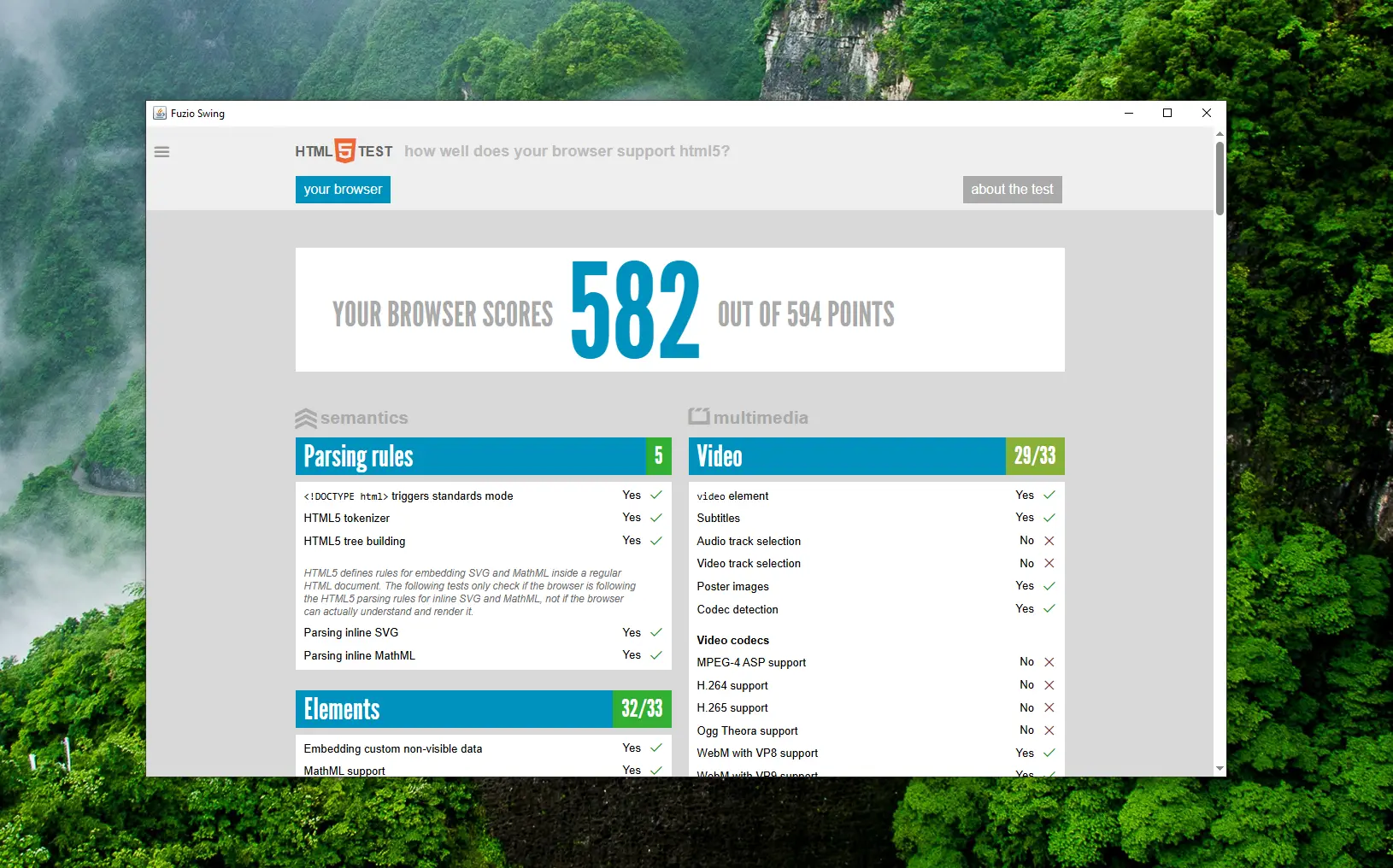
Once launched, you will see a Swing application with a BrowserView component displaying https://html5test.jiku.co:
What’s next
- Learn more how to add Fuzio to a Maven project.
- Read about how to embed Fuzio into a Swing app.
- Discover all Fuzio features by checking out our guides.